To get more from cloud construction tools, do five things: centralize your job data, connect the field and office in real time, automate your billing, pick mobile-first tools, and use the data they create. Cloud software gives your whole team the same live job data from any device, which cuts errors and speeds decisions. Each tip below targets a spot where contractors lose time and money.
Why does the cloud matter for construction?

Construction is spread out. Your office staff, crews, subs, and clients are rarely in one place. Cloud software gives them all one current source of truth they can open from any device.
The payoff is real: fewer mix-ups, faster calls, less paper, and a clearer view of your money. For the bigger picture, see how cloud tools save time in construction. Here are five tips to get there faster.
Tip 1: Centralize your project data
Stop scattering job info across email, texts, filing cabinets, and personal laptops. A cloud platform holds it all in one place: contracts, estimates, change orders, schedules, and notes.
When everyone opens the same source, version problems go away. The estimate your field lead sees is always the current one. The schedule your client reviews shows the latest updates. The right project management apps for small teams keep this tidy.
Tip 2: Connect the field and office in real time
The lag between a field note and the office hearing about it can cost hours or days the old way. Cloud tools close that gap:
- Crews log time entries that supervisors and office staff see right away.
- Change orders get submitted, reviewed, and approved on a phone, not at end of day.
- Progress photos and notes attach to the right job instantly.
That speed lets project managers decide faster and catch problems before they grow.
Tip 3: Automate your financial workflows
Handwritten invoices, paper check requests, and spreadsheet accounting are slow and hard to audit. Cloud tools take over the busywork:
- Estimates turn into invoices in a few clicks, with no re-typing.
- Online payment links in digital invoices let clients pay on the spot.
- A QuickBooks sync pushes financial data to your books with no double entry.
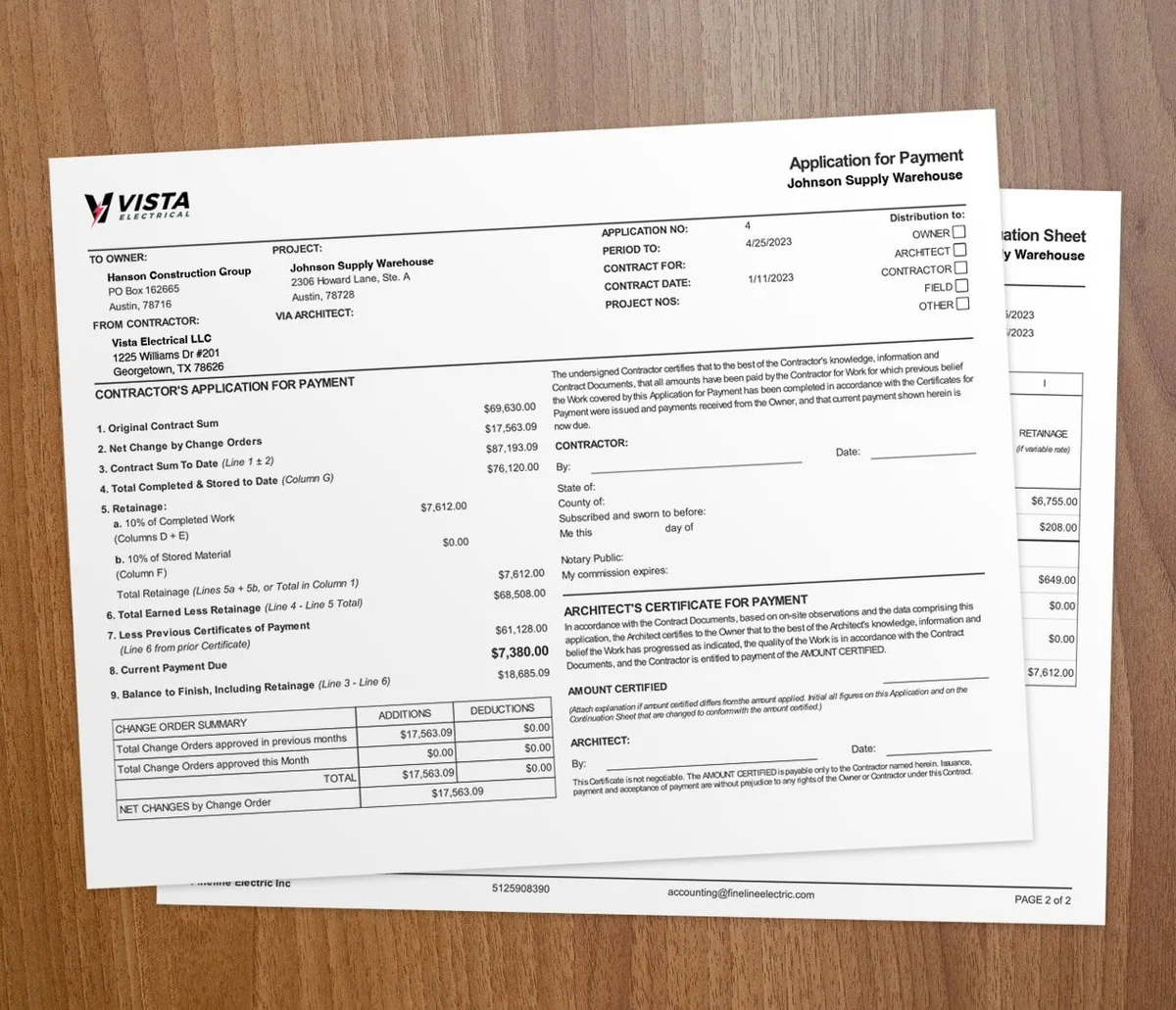
- AIA billing applications build from job progress on the G702 and G703 forms, so the math is right.
Tip 4: Use mobile-first tools
Your field team does not sit at a desk. The tools you pick must work on phones and tablets, not just office computers. Look for a real mobile app or a fully responsive web app so crews can:
- Clock in and out of jobs from their phones
- Open project details and documents on-site
- Submit photos, notes, and material usage
- Get client signatures on change orders and approvals
If the tool is hard to use in the field, crews will skip it and the data gaps come back.
Tip 5: Use your data to improve

Cloud systems create data with every entry. Each time log, estimate, invoice, and payment is a clue for a better decision:
- Compare estimated versus actual labor hours by job type to sharpen future bids.
- See which services and job types earn the best margins.
- Spot crews that finish on time and under budget.
- Track payment patterns to plan cash flow.
Paper and desktop-only systems cannot pull this together the way the cloud can.
When should you switch to cloud tools?
Switch when your team is spread across jobsites or your office and field never seem to match. The more jobs you juggle, the more the cloud saves. Most platforms are subscription-based, so you can start small with no big upfront cost.
You can wait if you run one short job at a time from a single desk. At that size your current setup may hold up. When you grow, start with your worst pain point, then add more. For the full case, read why cloud-based construction software wins for contractors.
Key takeaways
- Centralize job data in one place so everyone works from the current version.
- Connect the field and office in real time to decide faster and catch issues early.
- Automate invoices, payments, AIA billing, and QuickBooks sync to cut busywork.
- Pick mobile-first tools so crews actually use them on-site.
- Use the data your tools create to sharpen bids and protect margins.