

Deck Building Estimating Software
Werx is the office software for deck builders who want to quote fast and get paid faster. Build estimates, invoice or bill by progress, take payment online, and track job costs. Then sync it all to QuickBooks.
- Fast estimates and online approval
- Progress billing for bigger builds
- Two-way QuickBooks Online sync

Stop the busywork
Run your deck building business without the spreadsheets
Decks are bid jobs that often bill in a deposit and draws. When quotes, billing, and costs live in spreadsheets, you bid slow and get paid slow.
- Quote in Excel
- Invoice by hand
- Change orders unbilled
- Job costs after the fact
- Quote fast in Werx
- Bill or progress-bill
- Change orders billed
- Job costs in real time
Werx gets deck builders out of spreadsheets. Quote, invoice or bill by progress, take payment, and track job costs in one app.
The money side of a deck building business for $49 a month
Construction billing and job costing platforms publish entry prices from $149 to $599 a month, with per-user fees up to $20 and features like job costing often gated to higher tiers (as of July 2026). Werx takes the opposite approach: flat plans from $49 a month, every feature on every plan, and users are $6.
For a deck builder, that is a fraction of one deck deposit to run the entire office side. See pricing for the full breakdown, or compare Werx to the platforms you are looking at.
- Every feature on every plan, from day one
- Estimates, deposit and draw billing, change orders, and job costing included
- Users are $6 a month, time-only users $4, no caps
- No contracts, 14-day free trial, no credit card
Where deck builders lose money
Most lost margin hides in quoting, billing, and job costs. Here is where it slips, and how Werx catches it.
Slow bids lose jobs
A late quote loses the job. Build clean estimates fast and send them for online approval.
EstimatesDeposits and draws by hand
Decks bill in phases. Bill the deposit and each draw by progress instead of one invoice.
Progress billingMissed invoices
Jobs add up and some never get billed. Invoice each one fast so none slip through.
Invoicing and paymentsUnbilled change orders
Upgrades and add-ons often never get billed. Werx turns field tickets into change orders.
Change ordersNo profit picture
Without job costs, you cannot tell which jobs make money. Track cost and profit per job.
Job costingChasing checks
Waiting on mailed checks slows your cash. Let customers pay by card or ACH online.
Online paymentsFeatures built for deck building
Werx gives deck builders the office tools to quote, bill, and get paid. Just the tools a crew actually uses, done well.
- Deck estimates and proposals
- Online estimate approval
- Deposit and draw billing
- Progress billing
- Change order tracking
- Field time tracking
- Job costing
- Job profitability
- Online card and ACH payments
- QuickBooks integration
- Mobile field app
From quote to deposit to paid
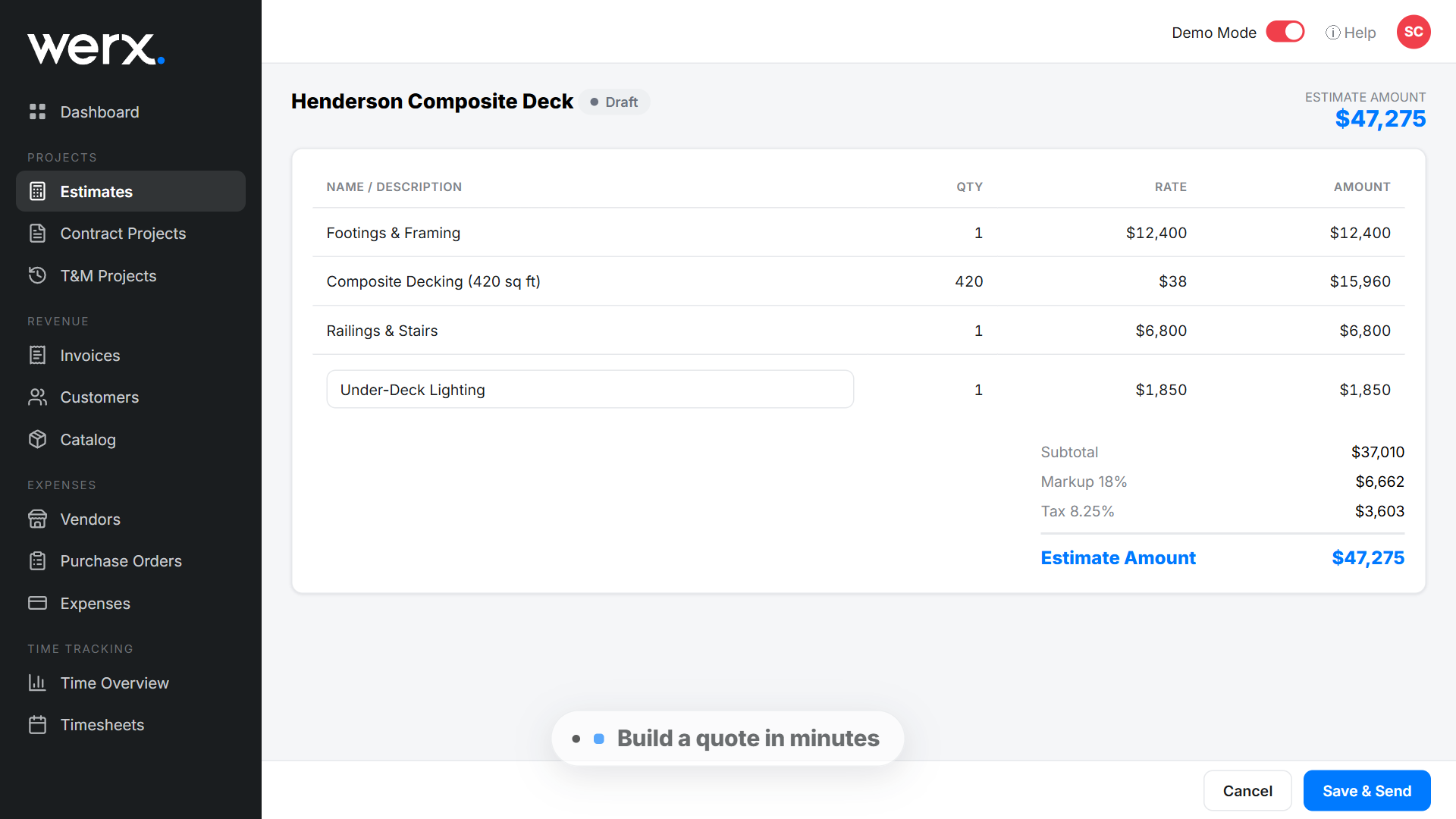
Build an estimate in minutes and send it for online approval. The customer taps approve, and you turn it into a project.
Bill the deposit, then each draw by progress as the deck goes up. Customers pay by card or ACH, and the money lands faster.
See how estimates and online payments work in Werx.
How a deck estimate and draw schedule come together
A deck bid is materials plus labor plus markup, and the billing plan matters as much as the price. Here is a simplified 16 x 20 composite deck, 320 square feet:
| Line | Amount |
|---|---|
| Framing package | $2,150 |
| Composite decking and fasteners | $3,400 |
| Railing | $1,250 |
| Footings and hardware | $600 |
| Crew labor: 80 hours at $45 loaded | $3,600 |
| Contract price: cost + 30% markup | $14,300 |
The math checks out: materials total $7,400, labor adds $3,600 for two carpenters over five days, so cost is $11,000, and a 30 percent markup lands the contract at $14,300. Then the billing plan does its job: a 30 percent deposit of $4,290 funds the material order, a $5,720 draw comes due when framing and decking are down, and the final $4,290 bills at the walkthrough. Those three payments add back to $14,300, and in Werx each one is a progress bill the customer pays online. For the framing numbers themselves, start with our deck material calculator.
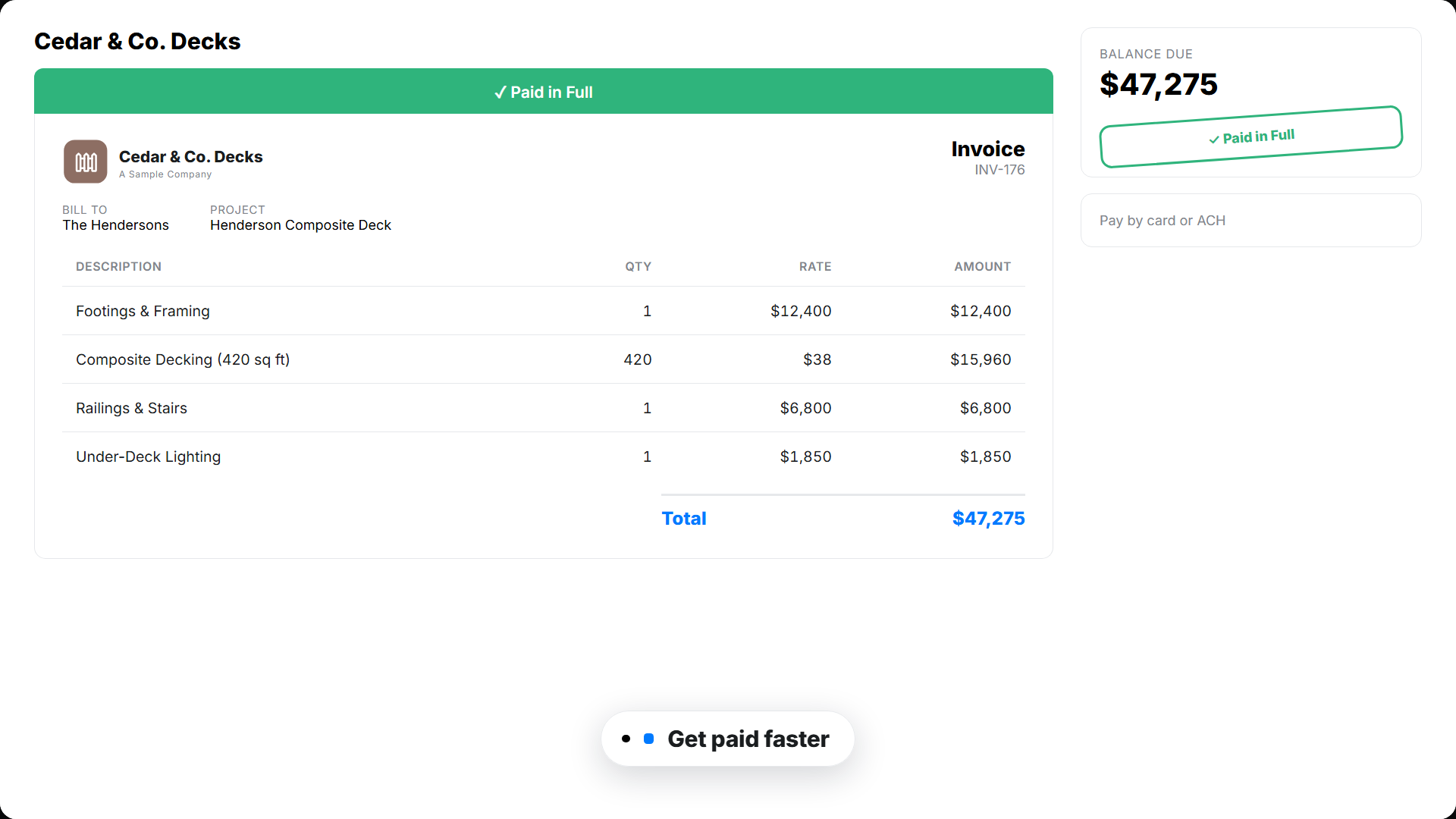
A quote and invoice your customer can approve and pay online
Your customer opens a clean, branded estimate or invoice. They approve or pay in a couple of taps. You see when they open it, so nothing stalls.
Software that runs the office side of your deck building business
From the first quote to the final payment, Werx keeps your billing, costs, and cash in one place.
Estimates and proposals
Build clean estimates with your prices and send them for online approval.
Deposit and draw billing
Bill the deposit and each draw by progress as the deck goes up.
Fast invoicing
Invoice smaller jobs in seconds. Add line items and send from the field or the office.
Job costing and profit
Track cost and profit on every job, so you know what is worth keeping.
Change orders
Capture upgrades and add-ons in the field, get them approved, and add to the bill.
Field time tracking
Crews log time by job from the Werx Field App. Labor cost updates in real time.
Free tools for deck builders
Span checks, material counts, and money math. No signup.
Deck material calculator
Joists, decking, and fasteners for any deck size, counted in seconds.
Run the calculatorDeck joist span calculator
Check joist spans by species, size, and spacing before you frame.
Check your spansBeam span calculator
Size the beams that carry the deck, without digging through span tables.
Size the beamsStair calculator
Rise, run, and stringer math for deck stairs that pass inspection.
Calculate the stairsCustomer financing calculator
Show customers what a five-figure deck looks like as a monthly payment.
Run the scenarios


Trusted by Contractors Like You

“It feels like the platform was built with real contractors in mind, not just software developers guessing what is needed.”

“It's a reliable tool that has helped me stay organized, manage tasks more efficiently, and keep projects on track.”
“Great program, user friendly and allows Project Managers easy access to monitor their project's budgets.”
Why deck builders choose Werx
Plenty of tools do field scheduling. Werx runs the money side of the business well.
Built for the work
Made for builders who bid jobs and bill in draws, not a generic invoice tool.
Bill any job
Invoice small jobs and bill bigger builds by deposit and draws, all in one place.
Know your profit
Cost and profit on every job, so you can price the next one right.
Works with QuickBooks
Two-way QuickBooks Online sync on every plan, at no extra cost.
One office app
Estimates, invoices, payments, time, and costs in one place.
Draw billing your books can actually follow
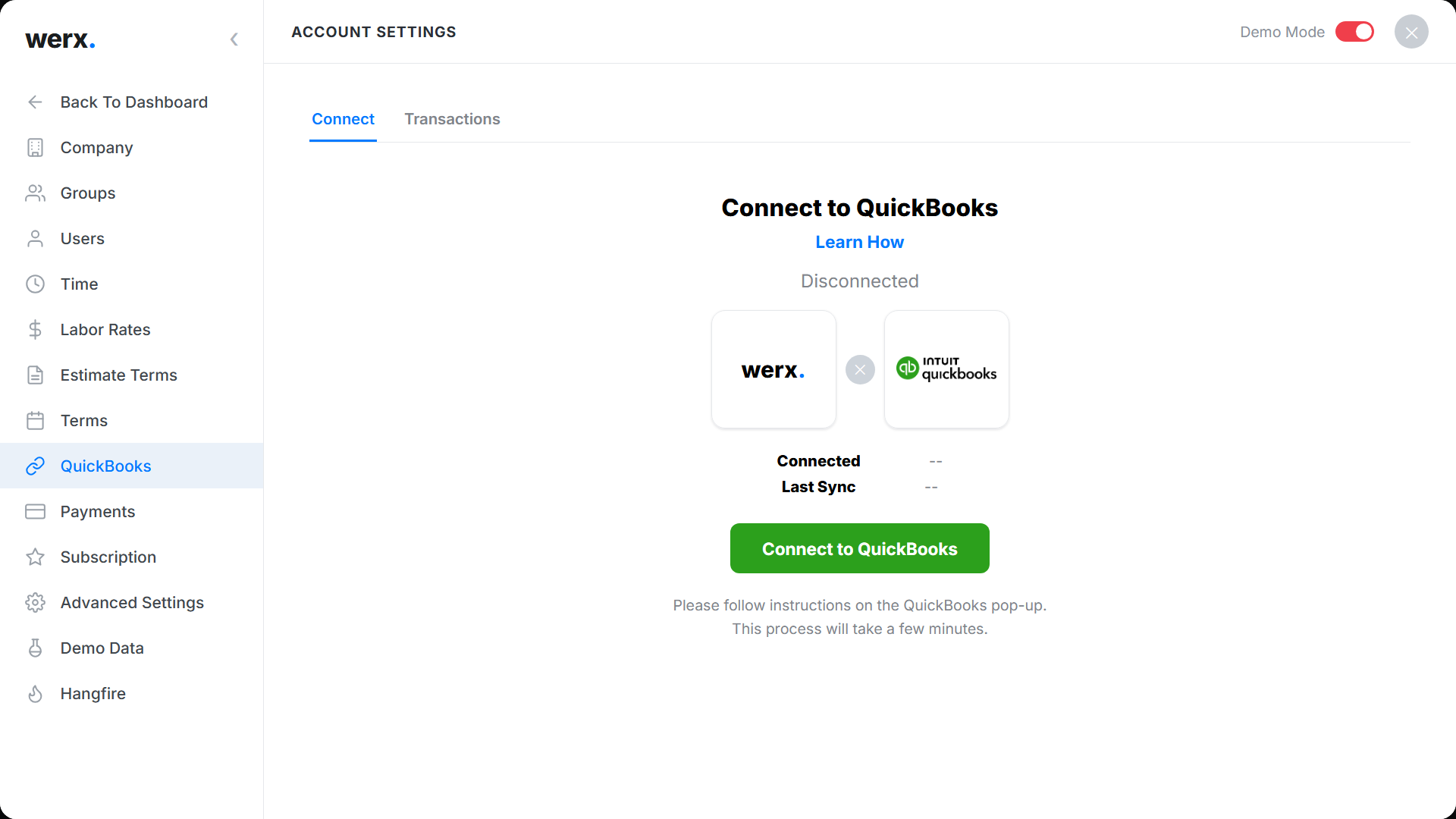
Deposit, mid-build draw, final payment: three bills on one job is exactly where spreadsheets lose the plot. Werx syncs each progress bill and payment with QuickBooks Online in both directions, tied to the same project, so you always know what has been billed, what has cleared, and what is still owed on every deck.
Guides for pricing and billing deck projects
Estimates, draws, and change orders, written for builders.
How to create accurate construction estimates
A step-by-step method for estimates that hold up on site.
Read the guideRenovation pricing tips
Pricing outdoor living projects so the margin survives the build.
Read the guidePrice for profit: markup vs margin
The difference between a 30 percent markup and a 30 percent margin.
Read the guideWhat is deck building estimating software?
Deck building estimating software is an office tool that handles quotes, billing, job costs, and payments for deck builders. It replaces paper and spreadsheets for the money side of the business.
Deck work sits inside a big trade. The Bureau of Labor Statistics counted 959,000 carpenters employed in 2024, with employment projected to grow about 5 percent by 2034, faster than the average occupation. The builders who win the good projects are the ones whose bids go out fast and whose draws get billed on time.
Werx fits deck work. Quote the job, take a deposit, and bill each draw by progress as the deck goes up.
Take payment online, track time from the field, and see job costs on every job. You quote, bill, and get paid from one place.
FAQ - Deck Building Estimating Software
Is Werx deck building estimating software?
Yes. Build itemized estimates and proposals fast, send them for online approval, and turn the won job into a project.
Can Werx bill deposits and draws?
Yes. Bill the deposit and each draw by progress as the deck goes up, instead of one invoice at the end.
Can my customers pay online?
Yes. Werx connects to Stripe, so customers pay by credit card or ACH right from the bill.
Can Werx do job costing?
Yes. Werx tracks cost and profit on every job, with projected and to-date margin.
Can Werx track change orders?
Yes. Capture upgrades and add-ons in the field, get them approved, and add them to the bill.
Does Werx sync with QuickBooks?
Yes. Werx syncs two ways with QuickBooks Online. Invoices, payments, and time flow into your books, included on every plan.
Can Werx manage deck projects?
Yes, on the office side. Estimates, deposits and draws, change orders, crew time, job costs, and payments live in one place. Werx does not do deck design or CAD drawings.
How should a deck job be billed?
A common pattern is a deposit at signing, a draw when framing and decking are down, and the balance at the final walkthrough. Werx bills each stage by progress and takes payment online.
Can I take a deposit online?
Yes. Bill the deposit as the first progress bill and let the customer pay by card or ACH, so the job is funded before materials are ordered.
What is deck building estimating software?
Deck building estimating software is the office tool that handles quotes, billing, job costs, and payments for deck builders. It replaces paper and spreadsheets for the money side of the business. Werx builds the estimate, bills the deposit and each draw by progress, and tracks cost and profit on every deck. It does not do deck design or CAD drawings.
How much does Werx cost for a deck building business?
Plans start at $49 a month with every feature included, and extra users are $6 a month. There is no contract and no feature gating. Start with a 14-day free trial, no credit card required.
Simple to use. Free to try.
No credit card required · Free migration assistance · Cancel anytime