

Remodeling Contractor Software
Werx is the office software for remodelers who want to bill faster and protect margins. Build estimates, bill by progress and draws, track change orders and job costs, and take payment online. Then sync it all to QuickBooks.
- Progress and draw billing
- Change orders tracked end to end
- Two-way QuickBooks Online sync

Stop the busywork
Run your remodeling business without the spreadsheets
Remodels bill in draws and stack up change orders as scope grows. When billing and change orders live in spreadsheets, margin walks out the door.
- Quote in Excel
- Bill draws by hand
- Change orders unbilled
- Job costs after the fact
- Quote fast in Werx
- Bill by progress and draws
- Change orders billed
- Job costs in real time
Werx gets remodelers out of spreadsheets. Estimate, bill by draws, track change orders and job costs, and get paid in one app.
The money side of a remodeling business for $49 a month
Construction billing and job costing platforms publish entry prices from $149 to $599 a month, with per-user fees up to $20 and features like job costing often gated to higher tiers (as of July 2026). Werx takes the opposite approach: flat plans from $49 a month, every feature on every plan, and users are $6.
For a remodeling company, that is less than a sheet of cabinet-grade plywood a month to run the entire office side. See pricing for the full breakdown, or compare Werx to the platforms you are looking at.
- Every feature on every plan, from day one
- Estimates, draw and progress billing, change orders, and job costing included
- Users are $6 a month, time-only users $4, no caps
- No contracts, 14-day free trial, no credit card
Where remodelers lose money
Most lost margin hides in change orders and billing. Here is where it slips, and how Werx catches it.
Unbilled change orders
Scope creep that is not tracked never gets billed. Werx runs changes from field ticket to billable change order.
Change ordersDraws billed late
Remodels bill in phases. Bill by progress and draws instead of waiting until the end.
Progress billingSlow quotes lose jobs
A late quote loses the project. Build clean estimates fast and send them for online approval.
EstimatesNo profit picture
Without job costs, you cannot tell which jobs make money. Track cost and profit per job.
Job costingFuzzy crew hours
Paper time sheets cost you on payroll. Crews log time by job from the field.
Time trackingChasing checks
Waiting on mailed checks slows your cash. Let homeowners pay by card or ACH online.
Online paymentsFeatures built for remodeling work
Werx gives remodelers the office tools to quote, bill, and get paid. Each one is built for project work, not borrowed from a generic app.
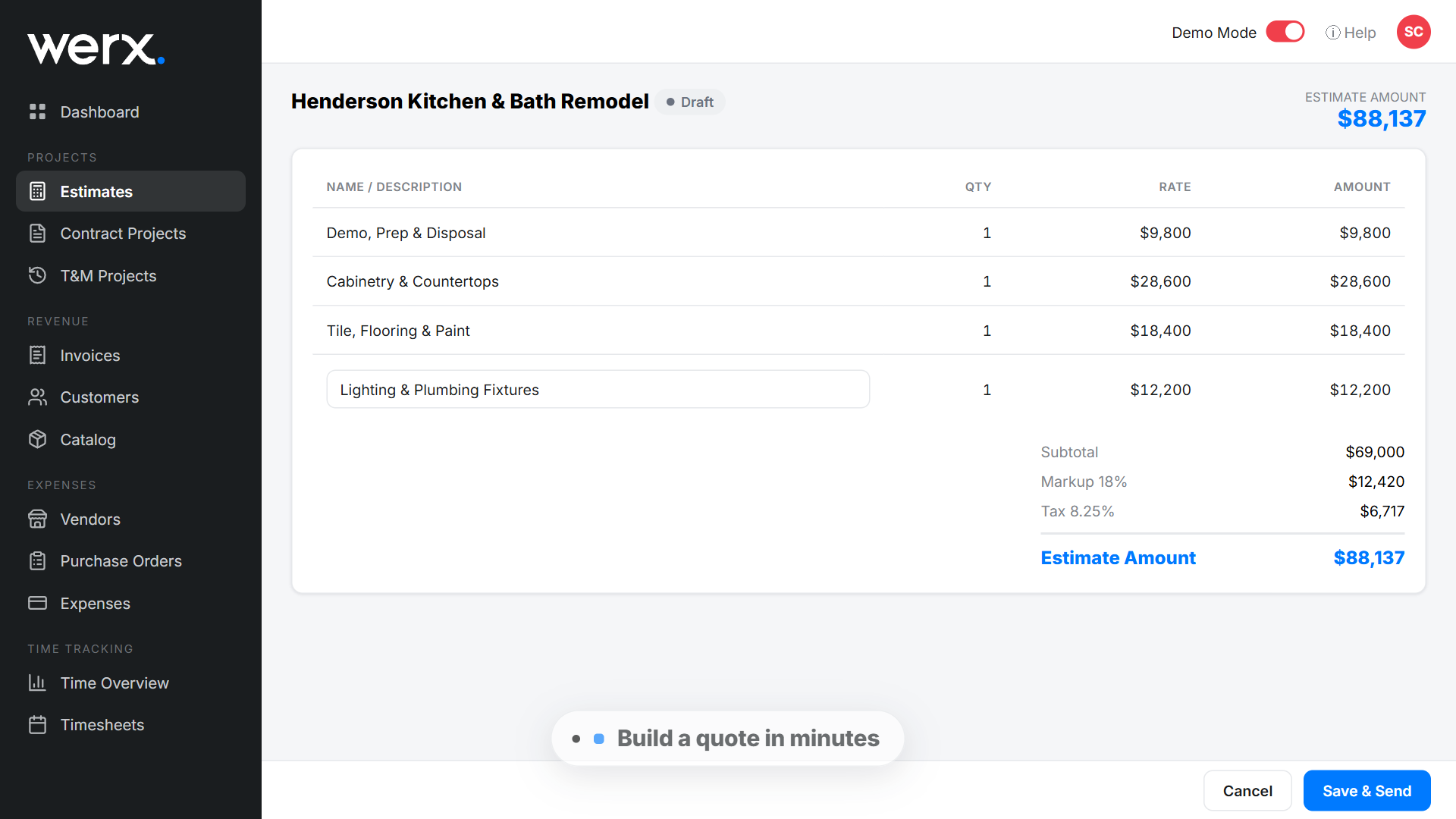
- Estimates and proposals
- Progress and draw billing
- AIA-style billing
- Change order tracking
- Field time tracking
- Job costing
- Job profitability
- Purchase orders
- Online card and ACH payments
- QuickBooks integration
- Mobile field app
From estimate to draws to paid
Build an estimate and turn the won job into a project. Bill the deposit and each draw as the work moves forward.
When scope changes, capture it as a change order and roll it into the next bill. Homeowners pay by card or ACH, and the money lands faster.
See how progress billing and change orders work in Werx.
How a kitchen remodel bills in draws
Say you sign a $68,000 kitchen remodel. Instead of one invoice at the end, the contract bills in five draws tied to milestones. In Werx, the draw schedule might look like this:
| Draw | Milestone | % of contract | Amount |
|---|---|---|---|
| 1 | Deposit at signing | 10% | $6,800 |
| 2 | Demo complete, rough-ins passed | 25% | $17,000 |
| 3 | Cabinets set | 30% | $20,400 |
| 4 | Counters and tile complete | 25% | $17,000 |
| 5 | Final walkthrough | 10% | $6,800 |
| Total | 100% | $68,000 |
The percentages add to 100 and the draws add to the contract: $6,800 + $17,000 + $20,400 + $17,000 + $6,800 = $68,000. Each draw goes out as a bill the homeowner can pay online the day the milestone lands, so cash keeps pace with the work instead of arriving weeks after it. When the client adds under-cabinet lighting mid-job, the change order raises the contract and rolls into the next draw instead of getting lost. Build your own in the draw schedule calculator, or see how a schedule of values does the same job on bigger projects.
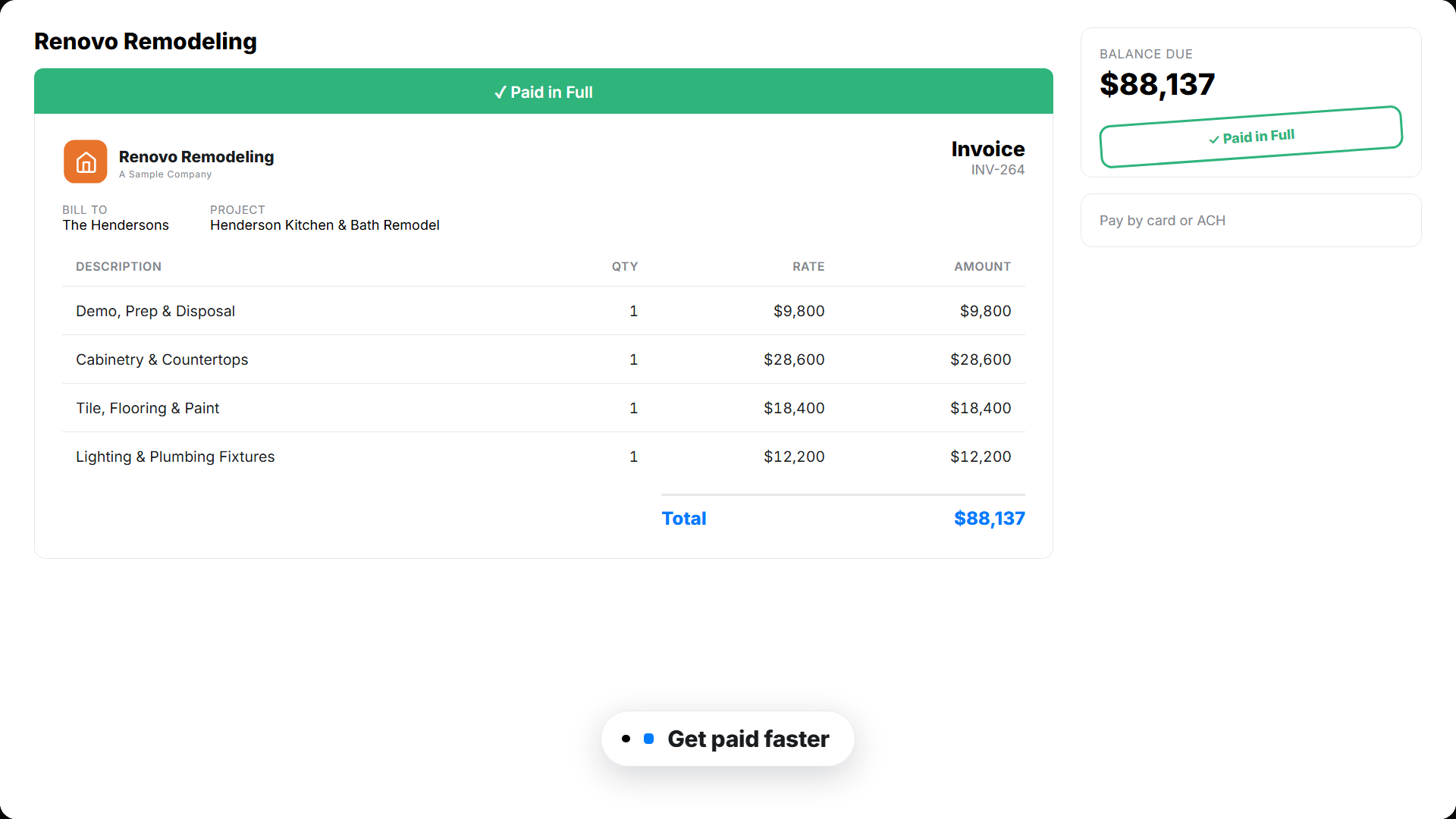
A bill your homeowner can pay online
Your homeowner opens a clean, branded estimate, draw, or change order. They approve or pay in a couple of taps. You see when they open it, so nothing stalls.
Software that runs the money side of your remodeling business
From the first estimate to the final payment, Werx keeps your billing, change orders, costs, and cash in one place.
Estimates and proposals
Build clean estimates with your prices and send them for online approval, then turn the won job into a project.
Progress and draw billing
Bill the deposit and each draw as the remodel moves forward, instead of one invoice at the end.
Change orders
Run scope changes from field ticket to change order to the next bill, fully tracked.
Job costing and profit
Track cost and profit on every remodel, so you catch losses while you can still fix them.
Field time tracking
Crews log time by job from the Werx Field App. Labor cost updates in real time.
Online payments
Take card and ACH payments online, so homeowners pay you sooner.
Free tools built for remodelers
No signup, no catch. Use them on your next project, and keep the results.
Remodeling estimate builder
Build a room-by-room remodel estimate and download it as a clean PDF.
Build an estimateDraw schedule calculator
Split a contract into milestone draws that keep cash ahead of the work.
Build a draw scheduleRemodeling change order form
Price the scope change and get sign-off before the work starts.
Create a change orderKitchen remodel checklist
Walk a kitchen job from demo to punch list without missing a step.
Get the checklist


Trusted by Contractors Like You

“It feels like the platform was built with real contractors in mind, not just software developers guessing what is needed.”

“It's a reliable tool that has helped me stay organized, manage tasks more efficiently, and keep projects on track.”
“Great program, user friendly and allows Project Managers easy access to monitor their project's budgets.”
Why remodelers choose Werx
Most field apps skip the hard part: draws, change orders, and job costing. Werx is built for it.
Built for projects
Made for remodelers who bill draws and stack change orders, not a plain invoice tool.
Change orders done right
Capture every scope change and bill it, so margin does not walk.
Know your profit
Cost and profit on every remodel, so you price the next one right.
Works with QuickBooks
Two-way QuickBooks Online sync on every plan, at no extra cost.
One office app
Estimates, billing, change orders, costs, and payments in one place.
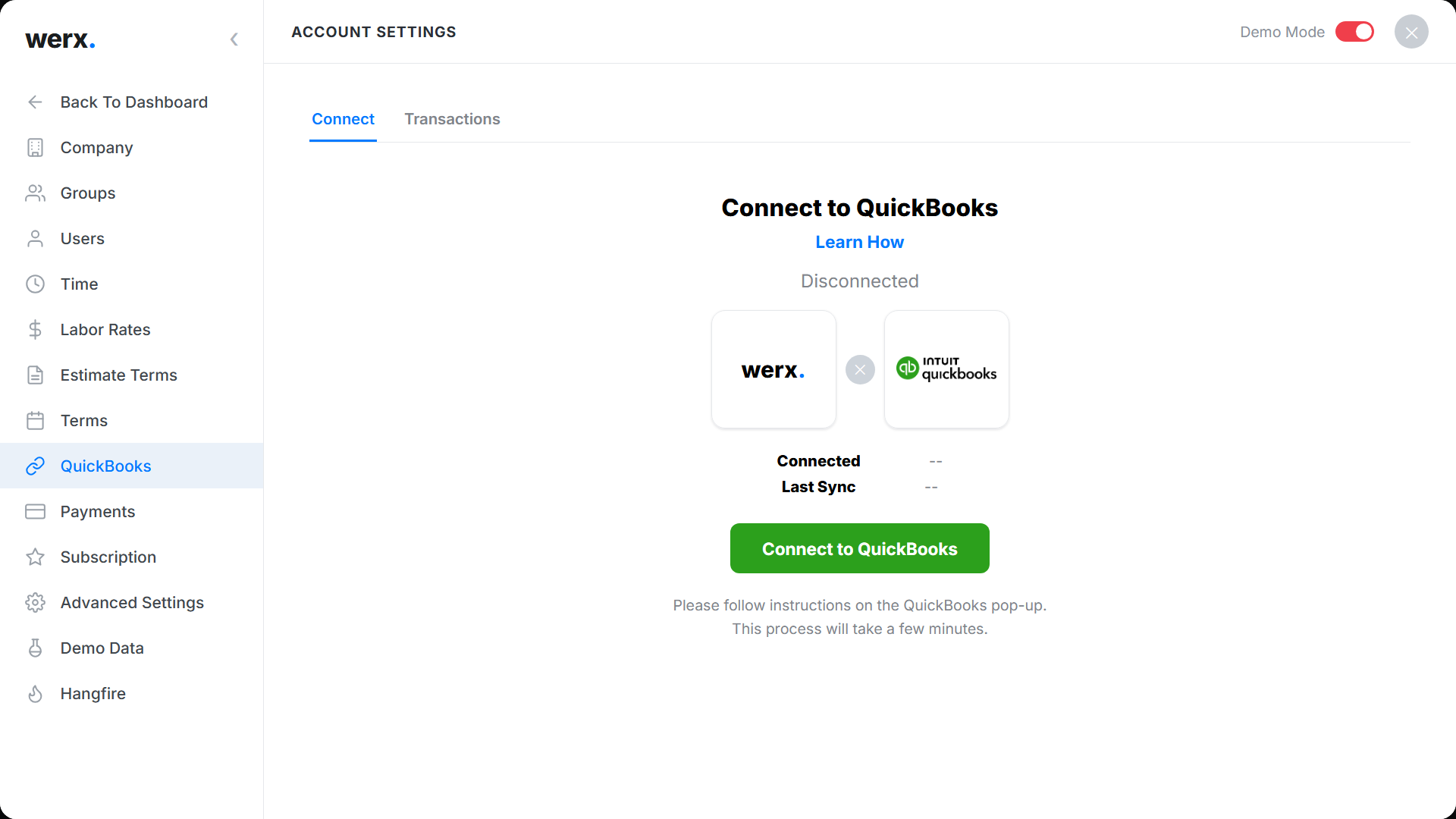
Draws in Werx, books that reconcile in QuickBooks
A remodel produces a deposit, a string of draws, and a stack of change orders, and every one of them has to end up in the books. Werx syncs each draw and payment to QuickBooks Online as it happens, tied to the right customer and job. Your bookkeeper sees the same numbers you do, and the month closes without anyone asking what draw three was for.
Remodeling guides worth your time
Written for the office side of a remodeling business. No fluff.
Efficient estimating for remodelers
How remodeling software tightens up the estimate process.
Read the guidePrice jobs for profit: markup vs margin
Why a 50 percent markup is not a 50 percent margin.
Read the guideWhat is remodeling contractor software?
Remodeling contractor software is an office tool that handles estimates, draw billing, change orders, job costs, and payments for remodelers. It replaces paper and spreadsheets for the money side of the business.
The market is enormous: the U.S. has 135,337 residential remodeler establishments per the Census Bureau's 2023 County Business Patterns. The labor pool behind it is deep too, with the Bureau of Labor Statistics counting 959,000 carpenters employed in 2024 and projecting 5 percent growth by 2034. With that many shops chasing the same homeowners, tight billing is an edge.
Werx is built for remodel work. Estimate the job, bill the deposit and each draw, and track every change order so scope creep gets billed.
See job costs in real time, track crew time from the field, and sync to QuickBooks. You quote, bill, and get paid from one place.
FAQ - Remodeling Contractor Software
Can Werx bill remodels in draws?
Yes. Bill the deposit and each draw by progress as the remodel moves forward, instead of one invoice at the end.
Does Werx track change orders?
Yes. Run scope changes from field ticket to change order to the next bill, so nothing goes unbilled.
Can I build remodeling estimates and proposals?
Yes. Build clean estimates with your prices and send them for online approval, then turn the won job into a project.
Can Werx do job costing for remodels?
Yes. Werx tracks cost and profit on every remodel, with projected and to-date margin.
Can homeowners pay online?
Yes. Werx connects to Stripe, so homeowners pay by credit card or ACH right from the bill.
Does Werx sync with QuickBooks?
Yes. Werx syncs two ways with QuickBooks Online. Invoices, payments, and time flow into your books, included on every plan.
How should a remodeling job be billed?
Most remodels bill a deposit plus milestone draws, with change orders added as scope grows. Werx builds the draw schedule, bills each milestone as it lands, and keeps a record the homeowner can follow.
What is the best way to price remodeling work?
Start from real costs: labor hours at a loaded rate, materials, and subs, then apply a markup that produces the margin you actually want. Werx keeps cost and price side by side on every estimate, and job costing shows whether the pricing held.
Does Werx handle deposits on remodeling jobs?
Yes. Bill the deposit as the first draw on the schedule, take payment online by card or ACH, and the balance bills out as the work moves forward.
What software do remodeling contractors use to run the business?
Most pair QuickBooks Online for accounting with a contractor platform for estimates, draws, change orders, and job costs. Werx is that platform. It does not do design, takeoff, or crew scheduling; it runs the money side of the job.
What is remodeling contractor software?
Remodeling contractor software is the office tool that handles estimates, draw billing, change orders, job costs, and payments for a remodeling company. Some platforms focus on design or scheduling; Werx focuses on the money side, from the deposit and each draw to the change orders that keep scope creep billed.
How much does Werx cost for a remodeling business?
Plans start at $49 a month with every feature included, and extra users are $6 a month. There is no contract and no feature gating. Start with a 14-day free trial, no credit card required.
Simple to use. Free to try.
No credit card required · Free migration assistance · Cancel anytime