

Werx Academy
Best Project Management Apps for Small Construction Teams
Look for mobile access, time tracking, and billing in one tool. Skip the enterprise bloat your crew will never touch.
Project management apps keep small construction teams organized, on budget, and on schedule. The right one centralizes your files, tracks job progress, and links the field to the office. You get the structure of a big firm without the cost or clutter.
Why do small teams need project management software?

Small teams run many jobs with few people. Without one system, key details scatter across texts, spreadsheets, and paper folders. Things slip, and slips cost money.
- Keep documents, schedules, and contacts in one place
- Cut crossed wires between the field and the office
- Track job progress without chasing people for updates
- End the chaos of running a job through email and calls
What features should small teams look for?
Not every app fits construction. A small team should chase the features that solve real pain, not flashy extras. Pick the few that move the needle.
- Mobile access: crews update progress from the jobsite
- Time tracking: accurate hours feed job costing and payroll
- Document management: store plans, permits, photos, and contracts
- Scheduling: assign tasks, set deadlines, track milestones
- Billing link: tie job progress to invoices and pay apps
- Simplicity: easy enough that the whole crew uses it
What mistakes should you avoid when choosing software?
The wrong tool wastes money and breeds frustration. A small team should sidestep a few common traps. Each one costs time you do not have.
- Buying enterprise software that overwhelms a small crew
- Picking a tool that will not link to billing or accounting
- Skipping mobile when most work happens in the field
- Choosing on price alone and ignoring long-term value
For a wider view, see how to choose a contractor tech stack.
When should a small team adopt project management software?

Adopt it once you run more than one job at a time. If updates live in your head or in scattered texts, a central tool pays off. Crews of 5 to 10 people usually feel the gain fast.
Hold off if you run one small job at a time with a tight crew. Even then, start with mobile time tracking, since it feeds billing and payroll. Add full project management as the job count climbs.
- You juggle two or more active jobs
- Field updates get lost in texts and calls
- Time and progress never reach the office on time
- The same details get typed into several tools
How does Werx support small construction teams?
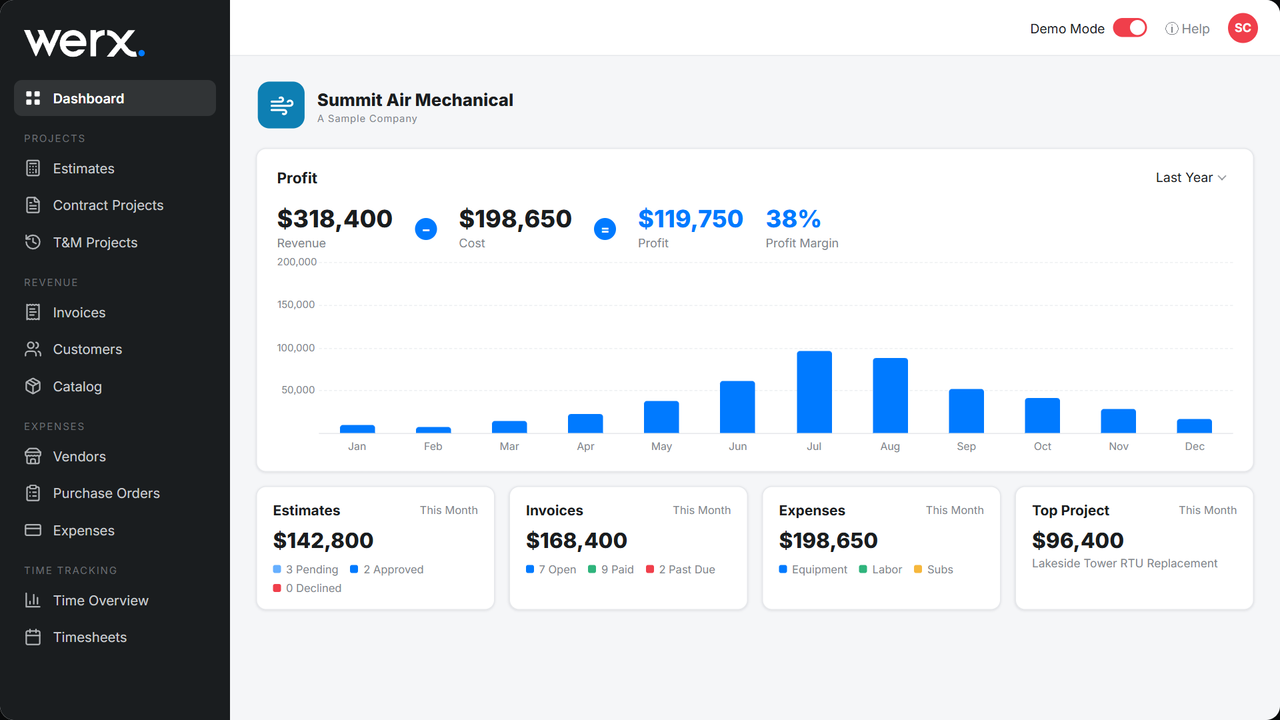
Werx is built for small and midsize contractors. Contractor software like Werx joins project management with estimating, AIA billing, time tracking, and QuickBooks integration. Your whole team works in one place.
- Run many jobs from one dashboard
- Track field time from a phone
- Estimate, convert to a project, and bill in one flow
- Sync with QuickBooks for clean financials
- Simple enough for the whole crew to pick up fast
To see how the field data carries through, read about tracking job progress by percent complete.
Key takeaways
- Small teams need mobile access, time tracking, and billing in one tool
- Skip enterprise software your crew will never fully use
- Pick a tool that links to billing and accounting from day one
- Adopt it once you run more than one job at a time
- Werx joins project management, estimating, billing, and QuickBooks sync
Frequently Asked Questions
Do small contractors really need project management software?
Yes. Even a team of 5 to 10 gains from central scheduling, time tracking, and document storage. The productivity usually outweighs the cost.
What is the most important feature for small teams?
Mobile access and time tracking matter most. They improve field-to-office communication and feed billing and payroll.
Can project management software replace spreadsheets?
In most cases, yes. Tools like Werx offer better accuracy, real-time updates, and billing links that spreadsheets cannot match.
Ready to grow your business?
Start your 14-day free trial today. No credit card required.
No credit card required · Free migration assistance · Cancel anytime