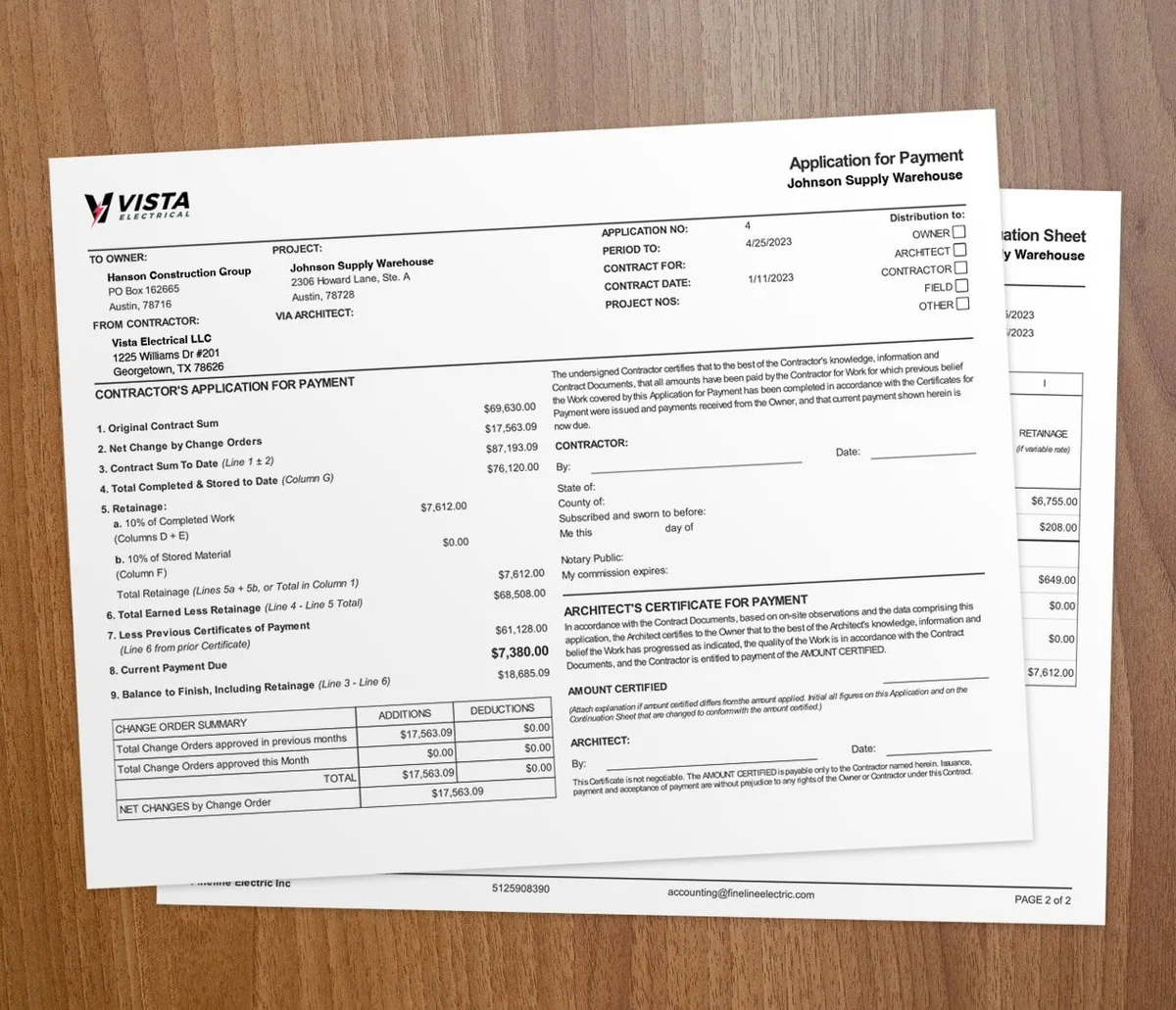
Extra work flows through three steps: an Extra Work Authorization (EWA) from the field, a Change Order Request (COR) from the office, then a signed change order that lands on the next progress bill. Follow the chain in order and every dollar of added scope gets documented, approved, and billed.
Scope changes are normal. Hidden conditions, design tweaks, and client requests all add work. The chain below keeps those changes clean from the job site to the invoice.
What is an Extra Work Authorization?
An EWA is the field's record of work beyond the original scope. When a crew hits added work, they write it up and get the on-site client rep to sign off. The EWA is a formal request to do work that was not in the plan.
Capture it on the spot, while the detail is fresh. A signature on site is your first line of proof if the scope is questioned later.
How does a Change Order Request work?
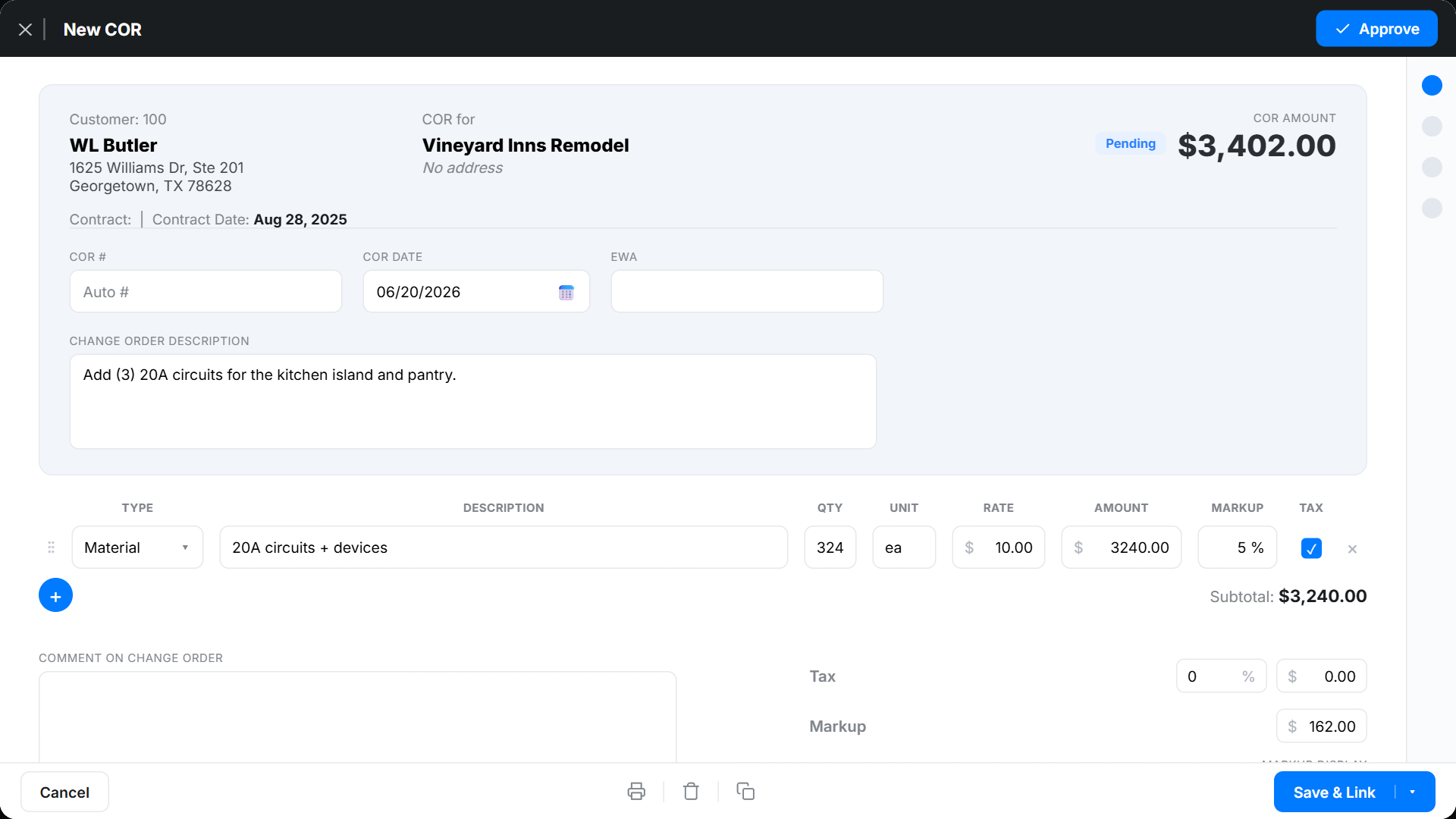
A project manager reviews each EWA from the field. They check the impact on the timeline, budget, and overall scope. If the work is needed, the PM turns the EWA into a Change Order Request.
The COR puts pricing and detail on the request and formalizes it in the project record. One COR can roll up several related EWAs to keep approvals simple.
How does a change order get approved?
The COR goes to the client. The client and their reps review the added cost and any schedule change. Once they approve, the COR becomes a signed change order that adjusts the original contract.
That signature is the green light. It locks in the new scope, price, and timeline for both sides. For the basics, see this guide on what a change order is. If you need a document to start from, our free change order generator creates one you can send for signature.
How do change orders hit the progress bill?
Approved change orders go into the billing system. You update the project cost, schedule, and scope, then add the change to the schedule of values. The new amount shows up on the next progress bill.
This ties added work straight to billing, so nothing gets missed at invoice time.
Why use a systematic approach?
A step-by-step chain protects you on three fronts.
Clear records. Each step is documented, so you have a trail of who asked, who priced, and who approved. That trail settles disputes fast.
Accurate money. Pricing the work before it starts keeps surprise costs off both sides and makes forecasts more reliable.
Schedule control. Reviewing each change lets you see its hit on the timeline early, set expectations, and avoid delays.
When should you start the EWA chain?
Start an EWA the moment a crew finds work outside the contract scope. Do not wait until billing. The earlier you log it, the easier it is to price and approve.
Skip the full chain only for tiny, no-cost field fixes that do not touch price or schedule. For everything else, the three-step process is the safer call. For a deeper workflow, read how to track change orders in construction and how to automate extra work authorizations.
How Werx handles the chain
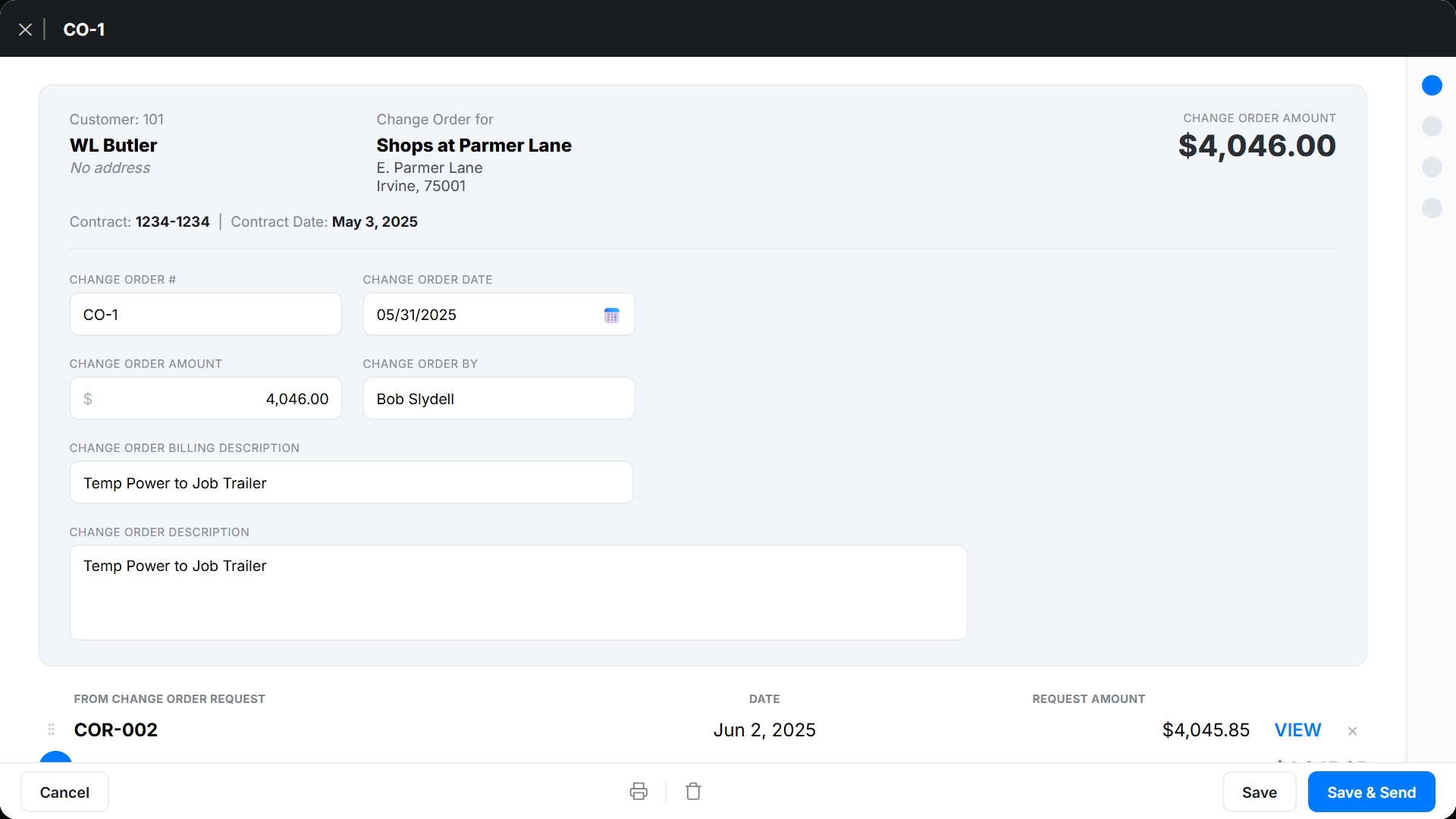
Werx covers the full workflow with tools built for contractors:
- Field capture for EWAs: Field teams create and submit Extra Work Authorizations from the job site, capture client signatures, and document scope changes on the spot.
- Change order request management: Project managers review EWAs, add pricing, and create formal Change Order Requests, rolling up multiple EWAs when needed.
- Progress billing built in: Approved change orders drop into the schedule of values and flow into progress billing and AIA-style billing.
- Real-time tracking: Watch every change order's status, cost impact, and effect on the timeline.
- QuickBooks sync: Financial changes sync to QuickBooks, so your books stay accurate.
Key takeaways
- Extra work moves from EWA to change order request to a signed change order.
- Capture EWAs in the field with a client signature before crews start.
- Price and approve each change before it hits the next progress bill.
- A documented chain protects you on records, money, and schedule.
- Change order management software runs the whole chain from field to invoice.