Job progress tracking compares work completed against your budget and schedule, week by week. It tells you early when costs are outrunning progress. Catch that gap and you can fix it before it becomes a loss.
Most overruns are slow leaks, not one big hit. Steady tracking ties projected costs to real spending on every phase. For the method many contractors use, see percent-complete job tracking.
How do you set up a tracking system?
Build a simple system you will actually use on every job.
Steps to set up tracking
1. Set clear goals. Define what done and on budget look like for the job. 2. Set milestones. Break the job into phases with a checkpoint on each. 3. Tie budget to each phase. Give every milestone its own budget and dates. 4. Review on a schedule. Meet on a set cadence with the people who own the work.
A digital platform pulls field updates into one view, so you see status in real time. For service and T&M work, time and materials tracking keeps labor and costs current as the job moves.
Why use a schedule of values?
| Line item | Scheduled value | % complete | Completed to date | |
|---|---|---|---|---|
| 1 | Mobilization & permits | $10,000 | 100% | $10,000 |
| 2 | Rough-in | $70,000 | 80% | $56,000 |
| 3 | Panels & gear | $50,000 | 45% | $22,500 |
| 4 | Fixtures | $45,000 | 20% | $9,000 |
| 5 | Trim & final | $25,000 | 0% | $0 |
A schedule of values breaks the contract into line items with a dollar value for each. It is the backbone of percent-complete billing.
A schedule of values helps you:
- Show a clear cost for every phase of the job
- Match work completed to dollars billed
- Keep spending from outrunning progress
- Bill from documented, verified progress
Build it from your estimate so the numbers match the contract. Our free schedule of values builder sets one up with the line math done for you. See how to build a schedule of values, then bill against it.
Tie tracking to billing
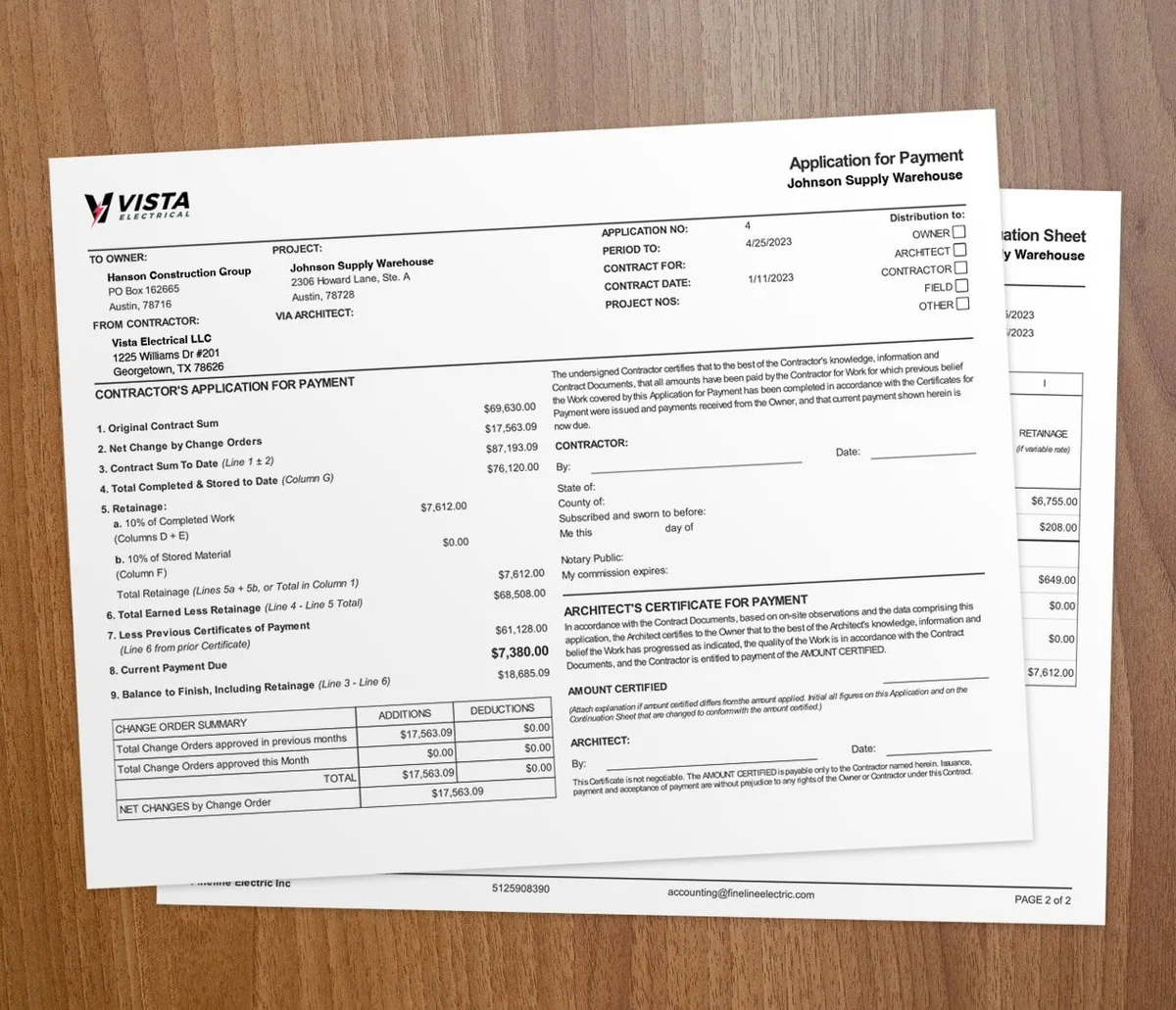
With AIA-style billing, you invoice the percent complete on each line of the schedule of values. The G702 and G703 forms lay out work completed and retainage, which usually runs 5% to 10% per payment. Sync the numbers to QuickBooks so your books stay current.
How does real-time job costing help?
| Cost code | Budget | Actual to date | Variance | |
|---|---|---|---|---|
| Labor | $38,000 | $41,300 | -$3,300 | |
| Materials | $27,500 | $26,100 | +$1,400 | |
| Subcontractors | $18,000 | $18,000 | $0 | |
| Equipment & other | $6,500 | $7,050 | -$550 |
Real-time job costing shows actual costs against the budget while the work is live, not after. That is the difference between fixing a problem and writing it off.
- See cost changes as they happen and adjust fast
- Keep one shared view so the field and office agree
- Spot trends early and forecast the next phase
Regular site visits back this up. Walk the job to confirm the work matches the plan, catch quality issues before rework, and keep crews safe.
How do change orders affect tracking?
Every change order shifts your budget and schedule. Track each one or your numbers drift.
1. Document it. Record the scope, reason, and cost impact. 2. Set an approval path. Name who signs and by when. 3. Tell the team. Share the change with everyone it touches. 4. Reset the budget. Update the schedule of values with the new amount.
For the full method, read how to track change orders in construction.
When should you track job progress this closely?
Track this closely on any job billed by phase or percent complete, like commercial builds, remodels, and multi-month work. The longer the job, the more a small gap can grow.
For a short, one-visit job, a simple budget check is enough. The full system pays off when money goes out for weeks before it comes back in. For a wider playbook, see these construction project management strategies.
Key takeaways
- Job progress tracking compares work completed to budget and schedule so you catch overruns early.
- Set milestones, tie a budget to each, and review on a set schedule.
- A schedule of values links percent-complete billing to documented progress.
- Real-time job costing shows actual cost against budget while the job is live.
- Contractor software like Werx connects tracking, billing, and your books in one place.