To stay competitive, contractors should put tech on seven jobs: estimating, time tracking, invoicing and payments, accounting, cloud project tracking, standardized billing, and reading their own numbers. Each one fixes a common headache that costs small shops time and money. Start with the one that hurts most and build from there.
Why does tech matter now?

Clients expect digital estimates, live job updates, and easy online payment. Material costs and labor shortages leave no room for sloppy admin. The contractors pulling ahead run tight on both.
The payoff is concrete: more accurate bids, tighter cost control, faster payment, and happier clients. None of this takes a big IT budget. It takes the right tools for the trade.
Seven tech tips for contractors
1. Digitize your estimating
Paper and spreadsheet estimates are slow and easy to get wrong. Estimating software builds detailed, branded proposals in minutes. Templates for common jobs speed it up, and clients get the estimate the same day.
Digital estimates also feed your next bid. Over time you build a record of actual cost versus estimated cost. That makes every new bid sharper.
2. Use mobile time tracking
Manual timesheets quietly drain payroll through rounding and missed punches. Mobile time tracking lets crews clock in and out from their phones, with job-level logging.
That data flows straight into payroll and job costing. You see real labor cost on every project as it happens, not weeks later.
3. Automate invoicing and payments
Stop chasing checks. Invoices with online payment links get you paid faster because clients can pay in a click. Automatic reminders follow up on late invoices so you do not have to.
4. Connect your accounting
Re-typing numbers into your books wastes time and breeds errors. A QuickBooks sync pushes estimates, invoices, and payments to your books on its own. Read more on why contractors struggle with QuickBooks and how to fix it.
5. Use cloud-based project management
Cloud tools give your whole team, office and field, the same job info in real time. That ends version-control mix-ups and cuts miscommunication. Decisions happen faster because everyone sees the same numbers.
You can track progress, manage budgets, and coordinate crews from one place. See how cloud tools save time in construction for the full breakdown.
6. Adopt standardized billing
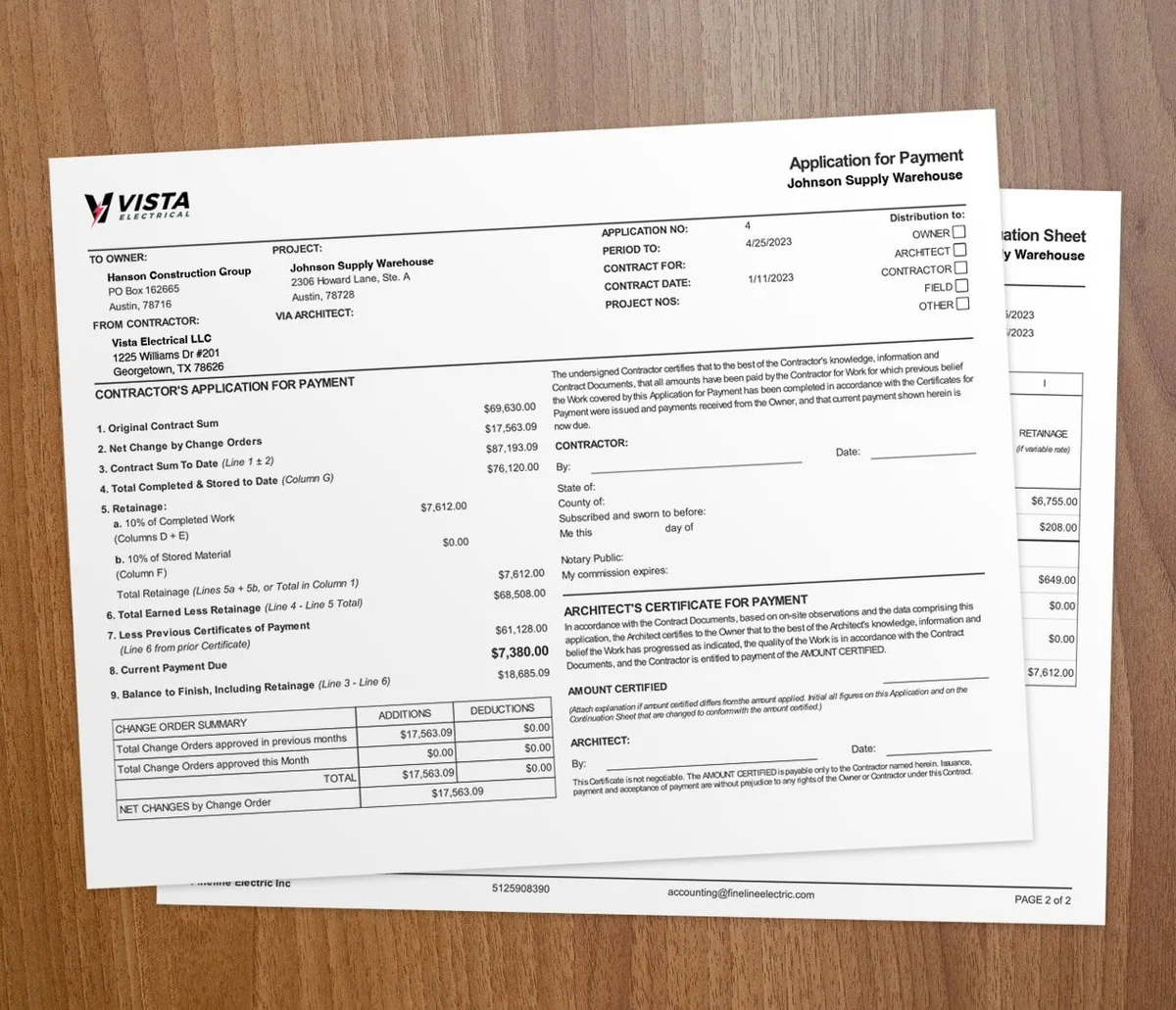
On commercial and larger residential jobs, standard formats like AIA-style billing build trust and speed up pay applications. The G702 and G703 forms lay out the schedule of values, work completed, and retainage in one place. GCs, property managers, and architects expect that format.
7. Use your data to decide
Every digital tool you run creates data. The contractors who win read it. They track which job types earn the most, which crews move fastest, which clients pay soonest, and where overruns start.
When should you add new tech?

Add a tool when one task is clearly costing you. Slow estimates, payroll errors, and late payments are the usual signs. Pick the worst offender, fix it, then move to the next.
Hold off on a full tech overhaul all at once. It overwhelms crews and rarely sticks. Choose tools built for contractors, not generic business apps, so the workflows and billing match how you actually work. If you are weighing options, our guide on how to choose the right contractor software walks through it, and the academy covers how to choose a contractor tech stack.
Why integration beats single tools
The biggest gains come when your tools share data. When estimating, time tracking, invoicing, and accounting connect, you stop entering the same data twice. Errors drop and you get one clear view of the business.
Contractor software like Werx connects these workflows in one platform. That gives you the numbers to make smarter calls and deliver cleaner jobs.
Key takeaways
- Digital estimates are faster, look sharper, and make your next bid more accurate.
- Mobile time tracking cuts payroll errors and feeds real-time job costing.
- Online payments and automatic reminders get you paid faster with less chasing.
- Standard formats like AIA G702/G703 build trust on commercial jobs.
- Tools that share data beat standalone apps by ending double entry.