

Werx Academy
What KPIs Should Contractors Track (and How)?
You do not need 30 metrics. You need six that catch trouble before it costs you.
The right contractor KPIs keep jobs profitable and cash flowing. Track a short list you can measure weekly and monthly. Start with win rate, backlog, gross margin, labor productivity, WIP, and DSO.
Standardize the formulas so everyone reads the numbers the same way. A shared definition stops arguments over what a number means. Clean inputs make the dashboard worth trusting.
What are the core contractor KPIs?
Start with a handful that expose margin, schedule, and cash risk early. Each one answers a clear question about the business. Add more only when you use these well.
- Win rate = won jobs ÷ total bids. Track it by lead source.
- Backlog = value of awarded work not yet billed, over 3 to 6 months.
- Gross margin % = (revenue − direct costs) ÷ revenue.
- Labor productivity = units installed ÷ labor hours, by cost code.
- WIP accuracy = percent complete vs. budget by SOV line.
- DSO = accounts receivable ÷ average daily revenue.
What should you review weekly vs. monthly?
Keep weekly reviews tactical and monthly reviews strategic. The field needs fast feedback. The office needs the trend.
- Weekly: labor productivity, coding accuracy, open change orders, and percent-complete changes
- Weekly: open pay apps and on-time timecards
- Monthly: win rate, backlog trend, and gross margin by job
- Monthly: WIP reconciliation, DSO, and collections status
How do you keep KPI data clean?
Clean inputs lead to dashboards you can trust. Garbage in means a number nobody believes. Set a few field rules and hold to them.
- Require daily time entry by job, phase, and cost code in the Werx Field App
- Use signed change orders to capture scope shifts before work
- Update AIA and progress percent complete weekly
- Send invoices fast and offer online payment to lower DSO
- Sync customers, invoices, and payments to QuickBooks Online
What does a simple KPI dashboard look like?
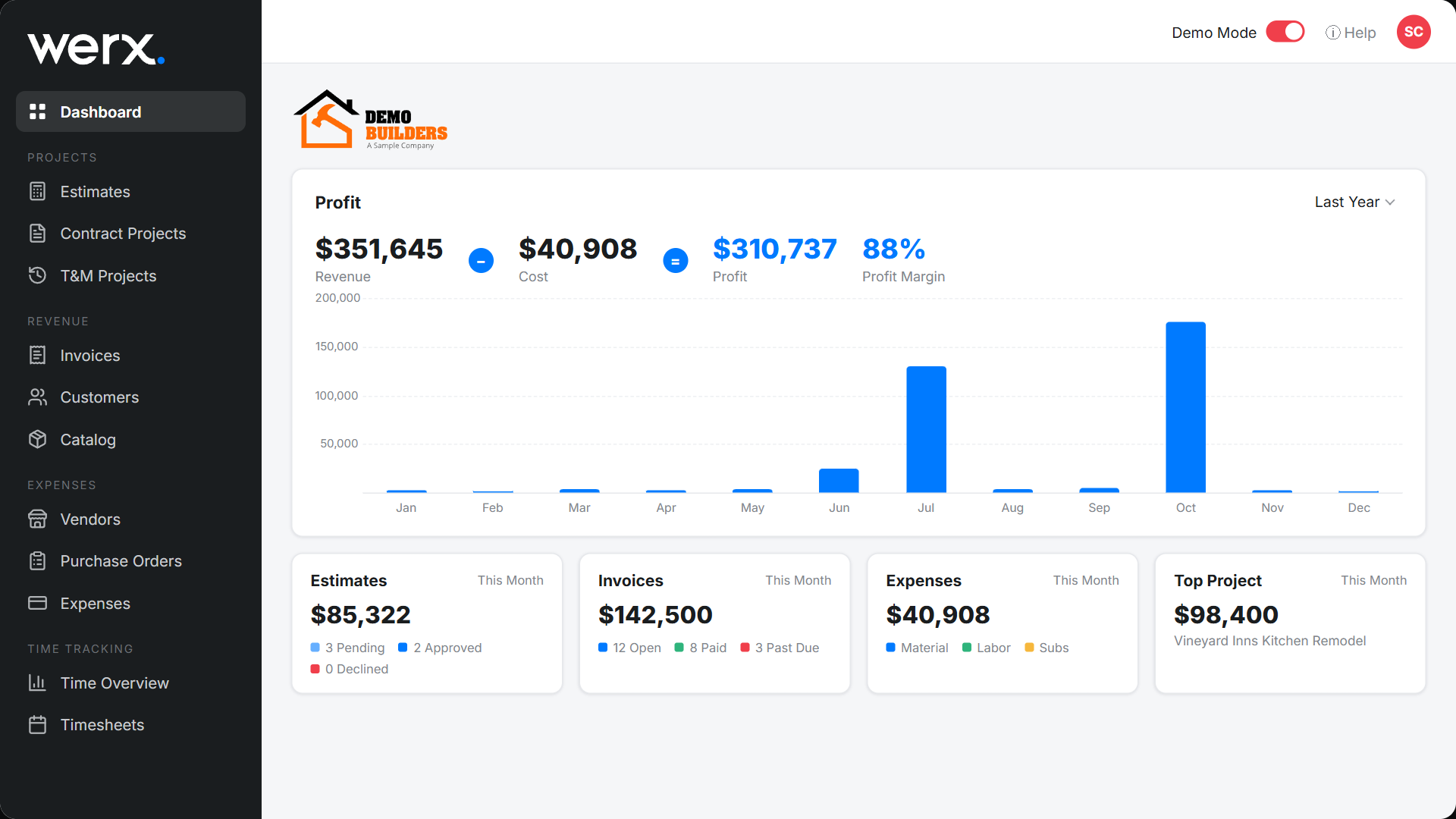
Show few numbers, update them often, and flag the exceptions. Owners and project managers need different views. Keep each one to one screen.
- Executive: win rate, backlog by month, gross margin %, DSO, and cash in the last 30 days
- Project manager: labor productivity by phase, WIP variance, open change orders, and pay app status
- Pair these with real-time job costing for live numbers
How do you improve each KPI?

Small process tweaks move the numbers fast. Pick one metric and fix its biggest leak. Then move to the next.
- Win rate: option-based proposals plus a steady follow-up cadence
- Gross margin: tighten change-order approval before work begins
- DSO: invoice within 24 to 72 hours and reduce payment delays
- WIP: refresh percent complete weekly and tie field notes to SOV lines
When should you act on a KPI?
Set a target and a trigger for each KPI. Act when a number crosses the trigger, not when it feels off. That keeps you ahead of trouble.
For example, chase collections when DSO climbs past your target. Review pricing when gross margin slips on similar jobs. Add crews when backlog grows beyond what you can deliver.
- Define a target and a trigger for each KPI
- Act on the trigger, not on a hunch
- Review the cause, then fix the process
Where does Werx fit?
Contractor software like Werx connects field data to billing and accounting. KPIs stay accurate without double entry. The numbers update as work happens.
- Real-time time entry and change orders from the field
- A schedule of values with retainage and change-order tracking
- AIA and progress pay apps and T&M invoices
- Online payments with QuickBooks sync
Key takeaways
- Track a short list: win rate, backlog, gross margin, productivity, WIP, and DSO
- Standardize the formulas and set a review cadence
- Use field-coded time and quick invoicing to improve results
- Contractor software like Werx ties field, billing, and QuickBooks together for reliable KPIs
Frequently Asked Questions
What is a good target for DSO?
Many contractors target 30 to 45 days. Shorten it by invoicing faster, enabling online payments, and following a 7, 15, and 30 day collections cadence.
Should I track margin or markup?
Track gross margin % for financials. Use markup in estimating, but convert to margin when you review job performance.
How often should I update WIP?
Weekly on active AIA and progress jobs, so pay apps reflect true percent complete and revenue stays accurate.
Ready to grow your business?
Start your 14-day free trial today. No credit card required.
No credit card required · Free migration assistance · Cancel anytime